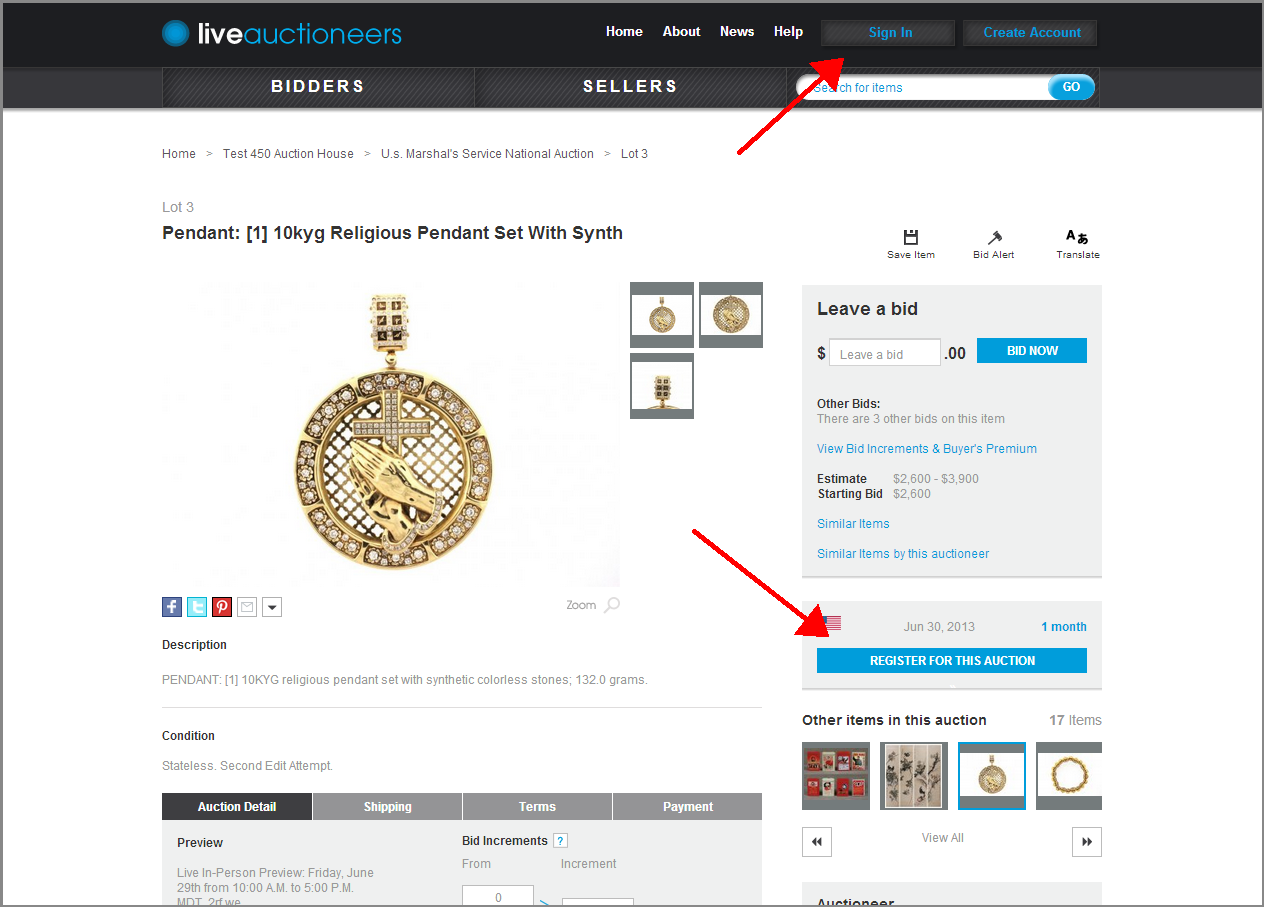
Click "Sign In" or "Register For This Auction."
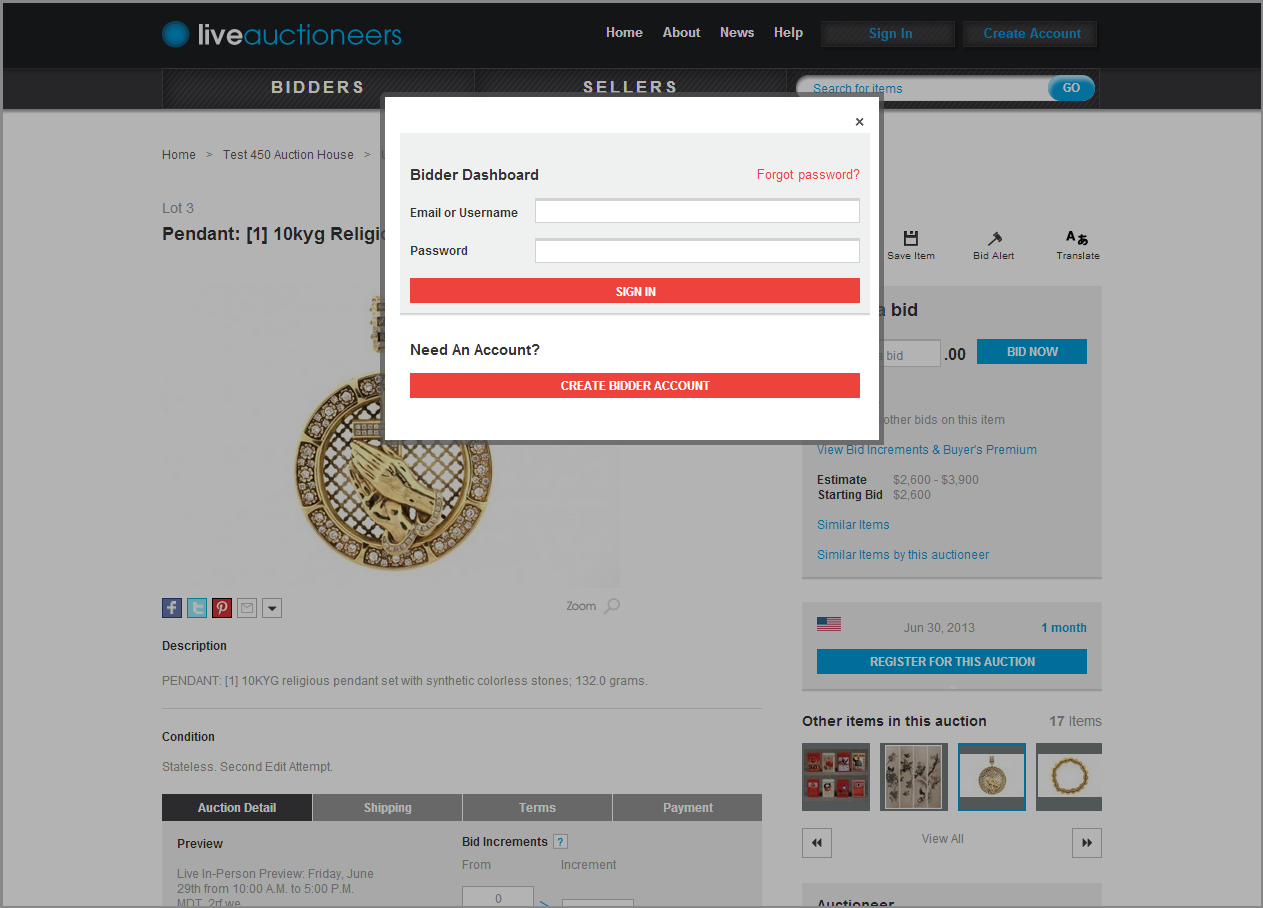
Enter your email address and password and click the "Sign In" button.
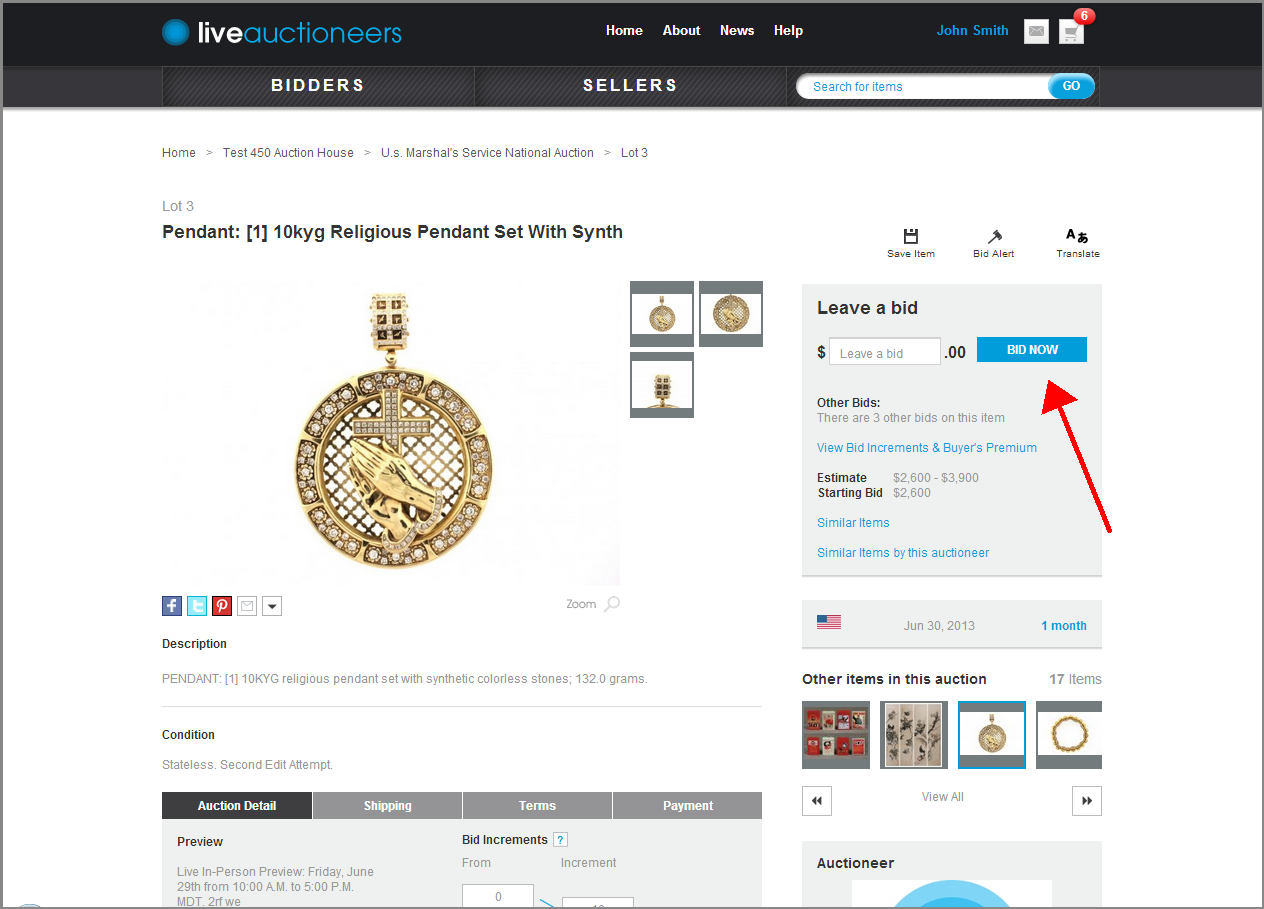
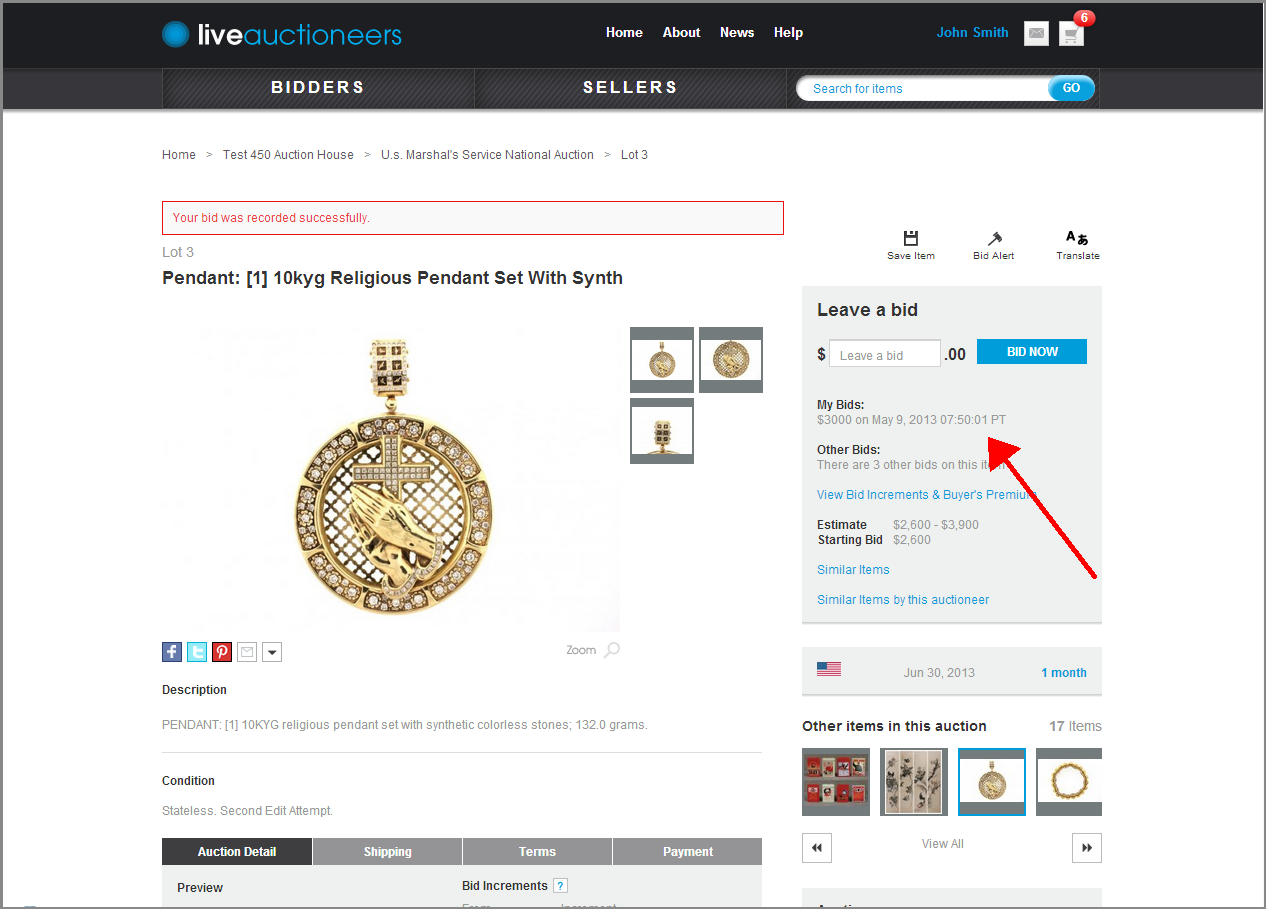
Enter a bid in the text field and click the "Bid Now!" button. Enter your bid in whole currency amounts without commas or decimals. For example $1,000.00 should be entered as 1000.
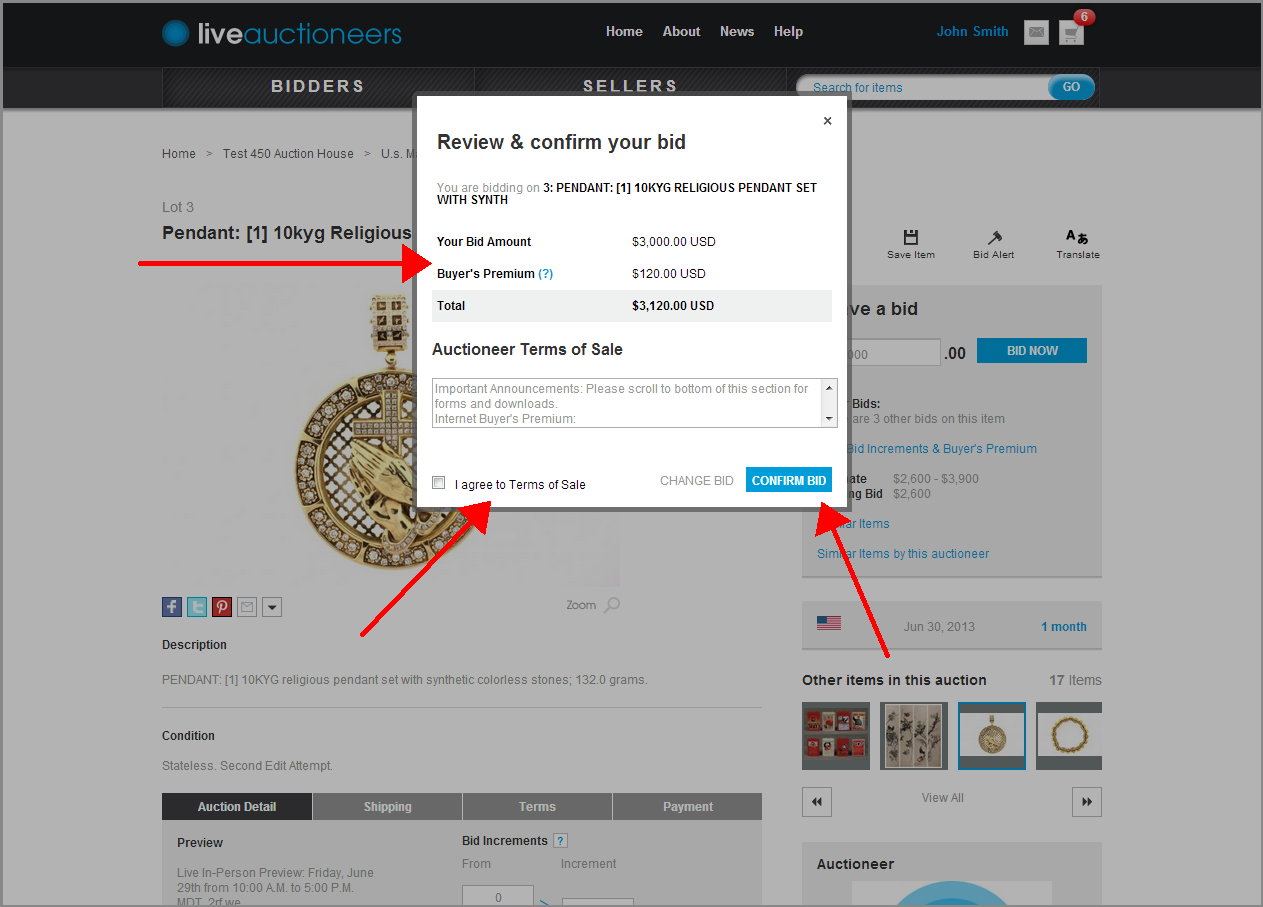
Confirm your bid (including applicable buyer's premium). Clicking the "I agree To Terms of Sale' check box indicates that you agree to both the LiveAuctioneers and Seller's terms of sale. To submit the bid, click the "Confirm Bid" button.
You will be lead back to the item page with your bid.
You can always check the status of your bids by clicking BIDDERS to navigate to My Bids section. Active Bids are bids left on auctions on which your participation was approved. Bids left on auctions that are pending participation approval are listed under Pending Bids.
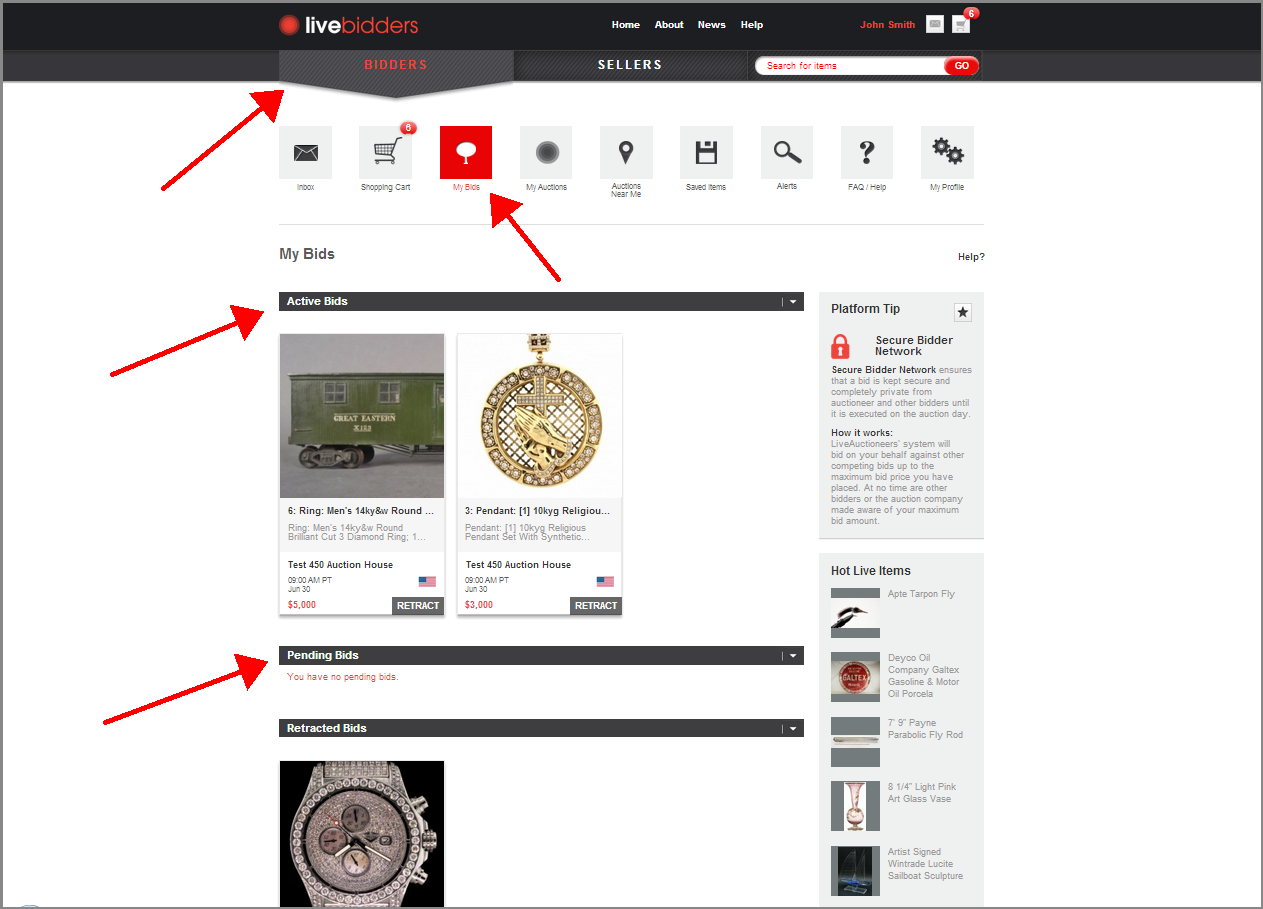
Each auction day requires approval by auctioneer/seller — so while you may have been approved to bid on day 1 of the auction, they will also need to approve you for day 2.